Who read what, and who recorded what, with the account behind each line.
What it is
The activity log is the product’s own account of its use. Each line records an account, a role, an organisation, a time and an action. The actions include reads of the records and changes made in the product: a findingFindingA difference in the records that needs a decision. It includes its sources and can describe a slow handoff, disputed fact or missing owner. resolved, a challengeChallengeA recorded dispute of a value. Both the original and the disputed version are kept, and the challenge is listed under Findings. recorded, an entry withdrawn, a document purgedPurgeRemoving a stored document’s contents while keeping a record that it was removed and why. Conclusions that used it must be checked again., or a management brief generated for download.
Each entry holds the viewer, the action text and the time. The role and organisation come from the account mapping at the moment the page is read. The page is at Records, then Activity log.
The log is not a performance record. It shows what the product was asked to do and what the product recorded. It does not show what a person did outside the product, and it does not rate anyone’s work.
An example
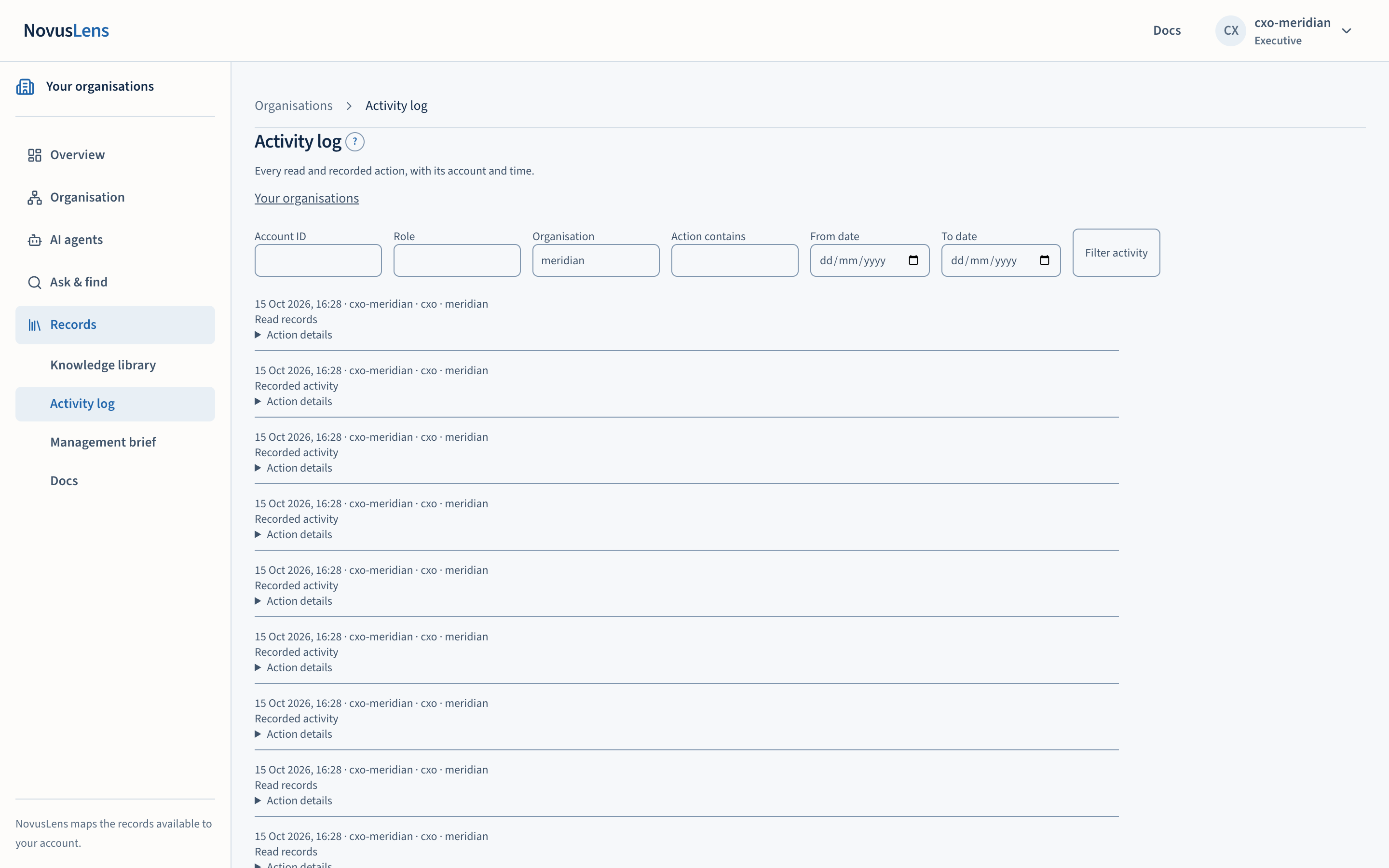
The screenshot below is from the Meridian GridMeridian GridThe fictional demonstration organisation used by the demonstration walk and its sample data. Nothing about Meridian Grid describes a real company. demonstration organisation, a fictional organisation used throughout these pages. Its entries show the Executive account reading records and other recorded activity. Each line gives the account, role, organisation and time. Open Action details to read the raw action text.
How to read it
Each line has four parts:
- The time and the account, followed by the role and the organisation.
- A plain description. The page shows “Read records” for read actions, “Management brief generated for download” for a brief export, and “Recorded activity” for everything else.
- For stewardshipStewardshipCare of recorded information, such as correcting or withdrawing entries. The action allowed depends on the record type and the reader’s role. entries, the kind of action and the reason. RetractionsRetractionThe withdrawal of a finding or meaning entry, with the reason recorded. The record keeps who withdrew it, when and why; it is not deleted., purges, dispute challenges and deep sweepsDeep sweepAn on-demand review that uses AI models to look for contradictions between written entries and the organisation model, or between written entries. carry the reason the actor gave.
- Action details. An expandable section that shows the raw action text.
The filters are Account ID, Role, Organisation, Action contains, From date and To date. The page asks for up to 200 entries at a time.
Who can see it
Only three roles can read the log. The Executive (cxo), the board and the operator can open the page. Only those roles see the Activity log link. The reasoning service’s /steward/audit endpointEndpointA particular address on a service that accepts a defined kind of request. refuses every other role with the message “the audit trail is the steward’s/board’s read”. Any other account sees the message “Your role cannot read the activity log.”
Scope follows the role:
- An Executive sees the entries made by accounts in their own organisation.
- The board sees the same entries, but for an action in the form
kind:termit sees only the kind. The term a colleague typed is withheld. - An operator sees entries across organisations.
The endpoint only reads the log. No role can edit or delete an entry through it.
Limits
- The log records what the product recorded. Work done outside the product does not appear in it.
- A read appears only where a product surface records one. The
guards.auditfunction is the common path, and the Records page reads the same table. - The log is not a performance record, and the page does not rank accounts.
- The page shows the most recent entries first, and the endpoint caps each request at 500 entries.
What to do next
Filter by account, action or date to find the entries you need. Where an entry carries a reason, read the reason before you act on the change. If a line refers to a finding or a record, follow that reference back to the record itself, which holds the evidence.
Where it is implemented
The log is written to the query_audit table. The page is apps/ui/app/audit/page.tsx. Its link is in apps/ui/components/WorkspaceNav.tsx, where the roles are the Executive, the board and the operator. The endpoint is steward_audit in apps/reasoning/src/conway_reasoning/serve.py, and the recording helper is audit in apps/reasoning/src/conway_reasoning/guards.py. The table is created in apps/graph/migrations/0001_init.sql. The web application also writes to the table directly in apps/ui/lib/twin.ts.