Read the organisation, check the evidence, choose what to look at.
NovusLens connects work, dependenciesDependencyA link where one unit needs something from another. A dependency is not a reporting line: it shows where work relies on something else., accountability and evidence for one organisation. It helps you frame a management question and take the supporting records to the people responsible. It maps and advises. It does not run, gate or change your systems or your agents, and it does not issue a verdict on them.
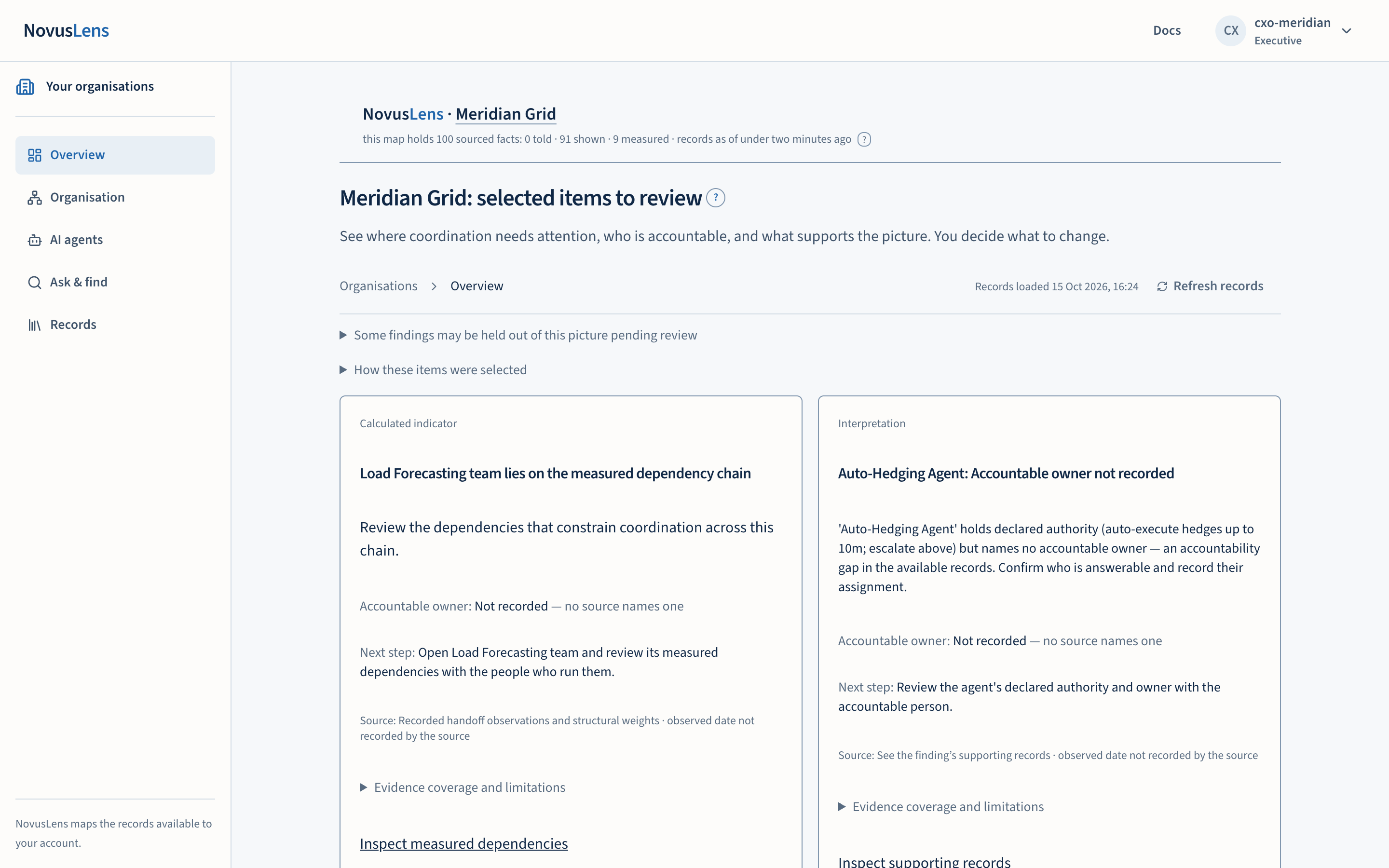
If you only read three pages, read the overview, the organisation map and the management brief. A remitRemitA written list of an agent’s allowed actions, resources and destinations for information. The list states whether it is complete., in these pages, is the written limit on what an AI agent may do. A cellCellA box on the map that stands for a team, service, supplier or AI agent. It is a unit you can inspect, not necessarily a department or a person. is one box on the mapMapThe view of teams, services and their dependencies for the selected part of the organisation. Details appear beside the map., standing for a team, a service, a supplier or an agent. A handoffHandoffWork or information passed from one team or service to another. Its measured or stated completion time determines the dependency class. is the point where one unit’s work waits on another (see the organisation model).
How the product is laid out
After you sign in and choose an organisation, five destinations appear in the navigation on the left. Pages sit beneath the destination you have open. An operator also sees Administration. On a phone, select Open navigation to see these destinations.
| Destination | Pages inside it |
|---|---|
| Overview | Selected items to review |
| Organisation | Map, Accountability, Changes, Evidence coverageCoverageWhat the available records cover, and what is missing. A count such as “3 of 5 dependencies measured” names the measured portion and the gap., Complexity, change and recovery |
| AI agents | Opens its own page |
| Ask & find | Opens its own page |
| Records | Knowledge libraryKnowledge libraryThe organisation’s written procedures and definitions. Each entry records its source, date and who can read it. NovusLens cites these entries as supplied information., Activity log, Management brief, Docs |
Some pages are limited by role. Complexity, change and recovery and the Activity log are shown to executive, board and operator accounts. Administration is shown to operators only.
The Accountability view separates CapabilityCapabilityWhat a team can provide or an agent can do. NovusLens records the claim and the evidence that supports it., AuthorityAuthorityWhat a team or agent is allowed to decide or do. For an agent, this comes from a named person or system that grants permission. and ResponsibilityResponsibilityThe work or result that a team or agent answers for. NovusLens records the person answerable for it.: what a unit provides, may decide and must answer for. The selected teams and services form its scopeScopeThe work, data, activity or access that a rule, statement or calculation covers. For access, it names the records an account can see. For team measures, “Own operations” covers the selected unit. “Including descendants” adds the units beneath it..